 OmniImage
OMNIIMAGE GUIDE
How to Convert SVG to High-Resolution PNG on Mac
Preview SVG safely and export PNG files at the natural size or a higher scale on your Mac.
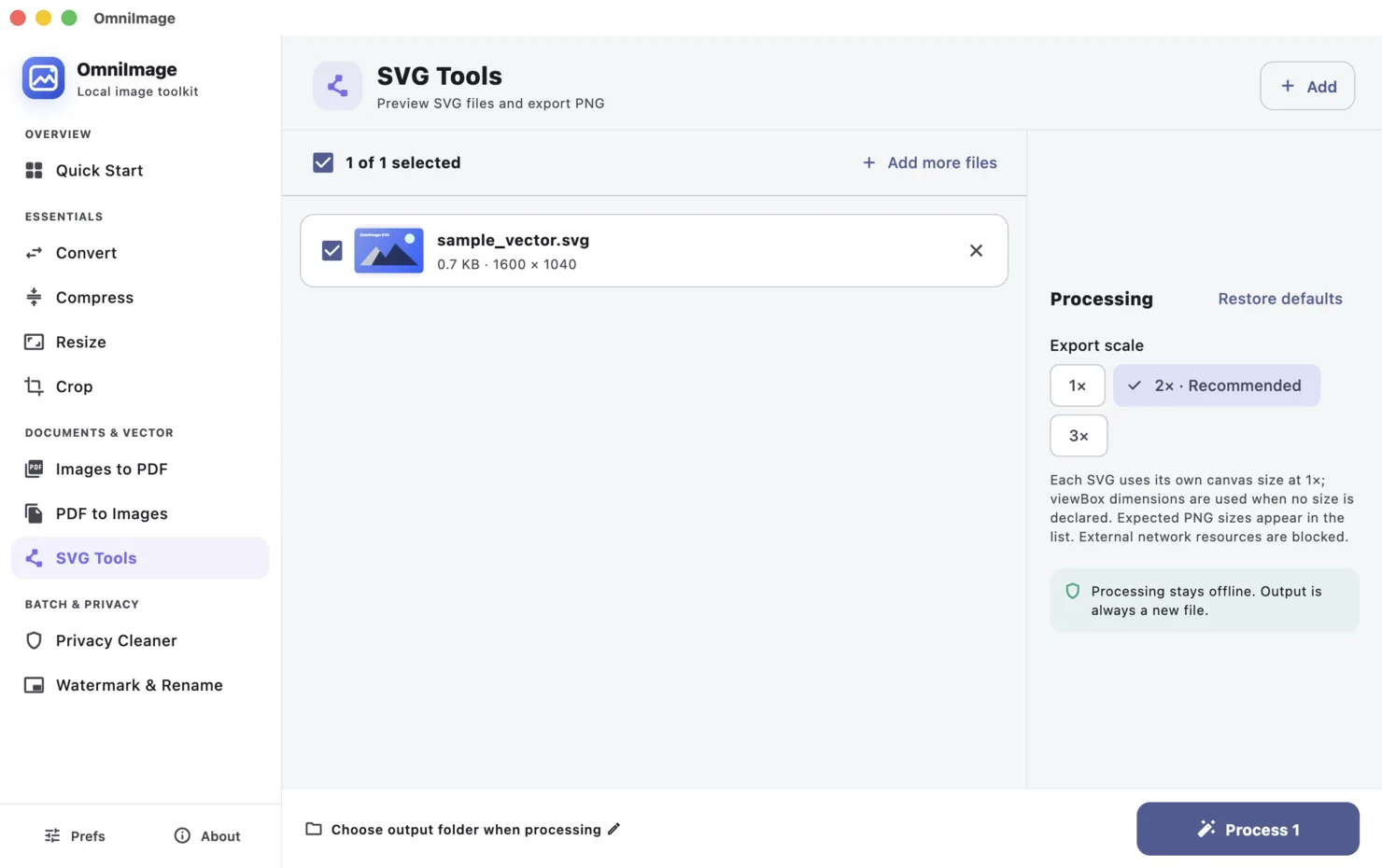
To convert SVG to a high-resolution PNG on Mac, open SVG Tools in OmniImage, add the SVG, check its natural size, select an export scale such as 1×, 2×, 3×, or 4×, and export the PNG. External network resources referenced by the SVG are blocked during processing.
STEP BY STEP
- 1
Open SVG Tools
Add the SVG to the dedicated workspace so its vector canvas and natural export size can be inspected.
- 2
Check the natural size
An SVG may define width and height, or only a viewBox. OmniImage determines a practical natural size from the information available.
- 3
Choose an export scale
Use 1× for the natural pixel size. Choose a higher scale when the PNG will be displayed larger or needs extra raster detail.
- 4
Export and inspect
Select an output folder, export the PNG, and check thin lines, small text, and transparent edges at the intended display size.
Choose the right approach
1×
Exports at the natural size and is suitable when the target dimensions already match.
2× or 3×
Useful for high-density displays and assets that may be shown larger.
4×
Creates a much larger raster file for demanding output, with a corresponding increase in file size.
SVG has a canvas, but not always an explicit pixel size
Vectors can scale without the same loss as a raster image, but a PNG export must have a concrete width and height.
If an SVG has only a viewBox, the app derives a natural canvas. The scale multiplies that canvas rather than changing the artwork's proportions.
Common questions
Does every SVG have an original size?
Not always. Some files specify width and height; others provide only a viewBox. OmniImage derives a usable natural size when needed.
Can an SVG load remote content?
OmniImage blocks external network resources during SVG processing to keep preview and export local.