macOS
See battery power and, on supported Macs, the power entering the computer while plugged in. Open the five-minute preview from the menu bar.
macOS 13 or later
 Watt Monitor
Follow power and battery readings as they change, compare your recorded history, and export the data when you need it.
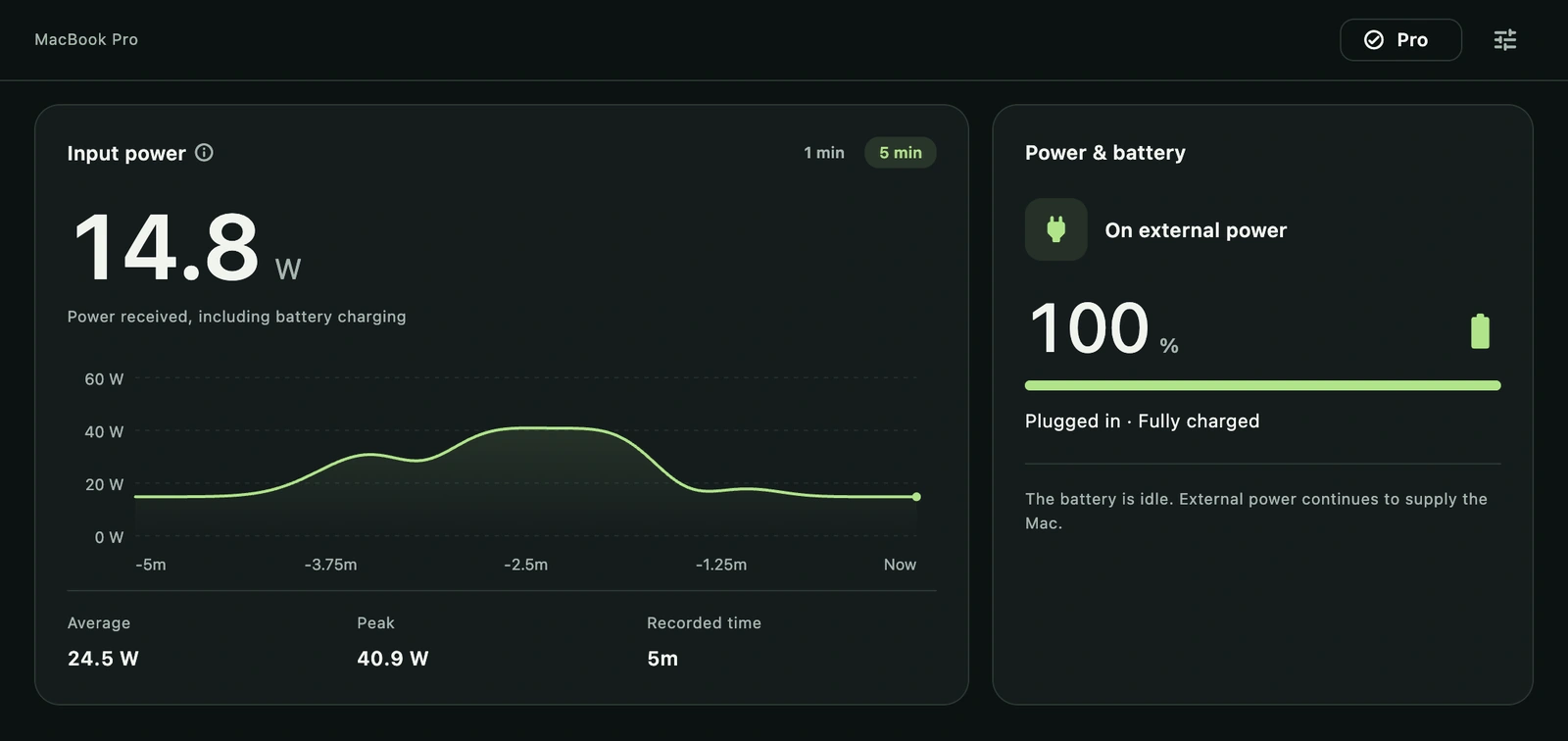
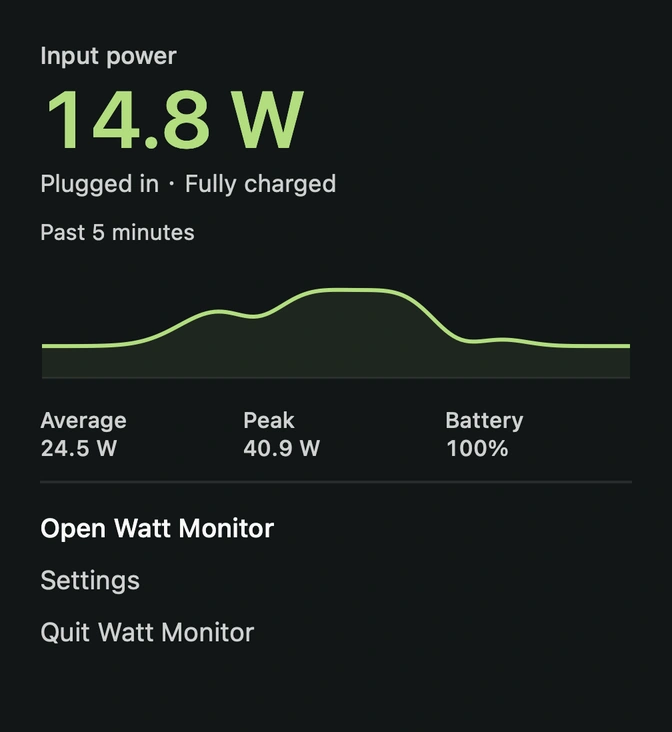
Open the Mac menu bar or Windows system tray to see the current reading and the last five minutes. In the main window, switch between one and five minutes to see the average and peak for that period.
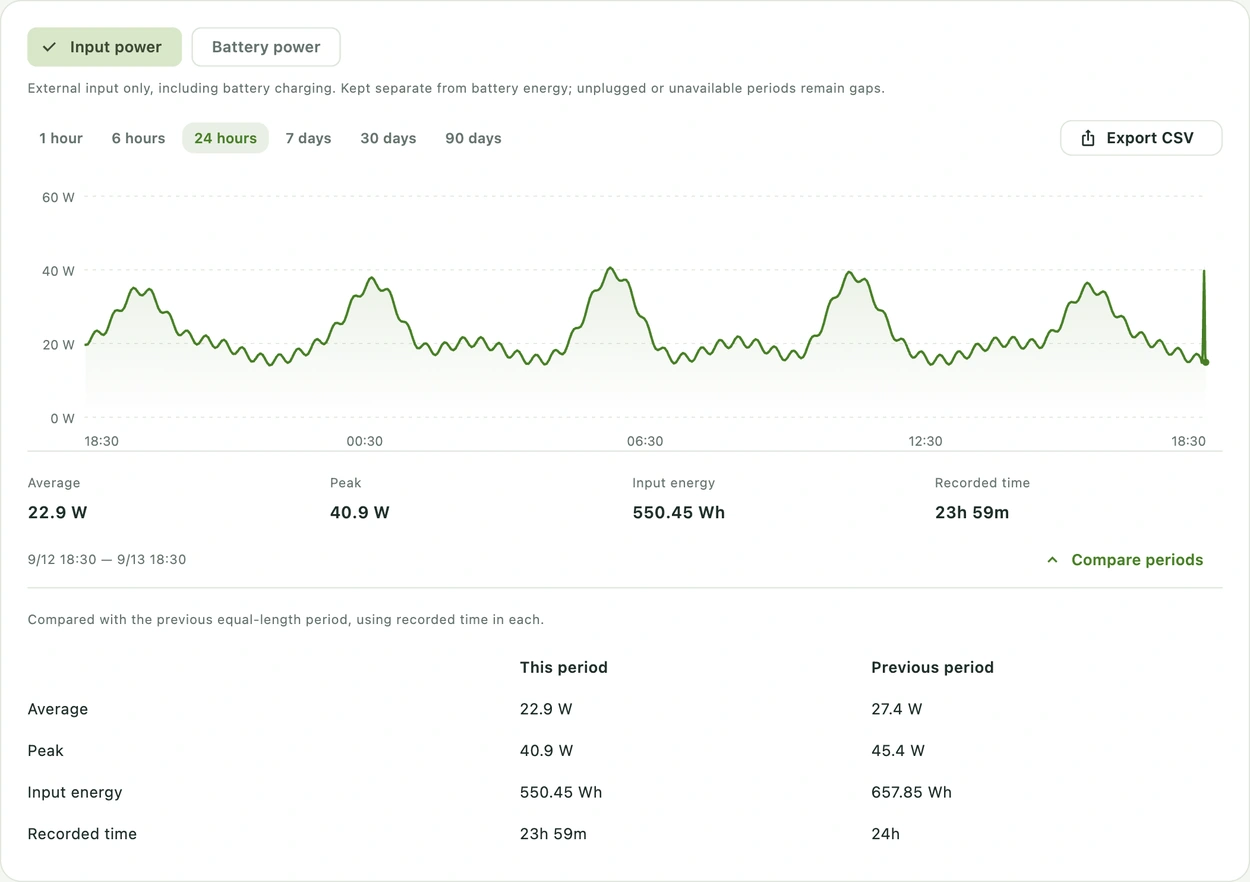
Compare one period with the previous one. See average power, peaks, and recorded energy, then export the selected period as CSV.
See battery power and, on supported Macs, the power entering the computer while plugged in. Open the five-minute preview from the menu bar.
macOS 13 or later
See battery charge and discharge power when your PC supplies a reading. Open the five-minute preview from the system tray.
Windows 10 version 2004 or later · x64
Watt Monitor is not yet available to download from either store. Try the full app for one hour per day once it’s available. A one-time Pro purchase removes the time limit.